
Crelate vs Loxo, when configuration matters more than a built-in sourcing database

Feature by feature: candidate sourcing and data, staffing configurability, outreach, and pricing. Where each platform pulls ahead for a recruitment agency in 2026, and where both leave a gap.

Or meet the third option built for recruiters: Jarvi.

silhouette
Crelate logo
Loxo logo

TL;DR

Positioning

Crelate fits staffing and recruiting firms that want a deeply configurable ATS and CRM built around placements, contractors and compliance, at published per-seat pricing. Loxo fits agencies whose engine is proactive sourcing and want a built-in, enriched candidate database with contact data, and can absorb a premium, sales-led price.

Why it matters

Crelate publishes pricing from $85 (Essentials) to $119 (Business) with deep workflow configuration, while Loxo starts at $169 and leans on a talent-intelligence database enriched with contact information plus an email finder. The split is clear: Crelate is the configurable staffing system of record, Loxo is the sourcing and outreach engine.

The catch

Where both stop: neither runs one outbound sequence across email, LinkedIn, WhatsApp, Telegram and SMS at once. Loxo can advance the pipeline on an email reply; Crelate leaves the follow-up to the recruiter.

At a glance

CriterionCrelateLoxoEdge
Sourcing & candidate dataExtension capture, resume parsingBuilt-in enriched database, email finderLoxo
Configurability & staffing fitDeep config, contractors, complianceSourcing-led, lighter staffing depthCrelate
Outreach & engagementEmail plus phone, SMS add-onEmail finder, tracked sequencesLoxo
Pricing & buying experiencePublished $85 to $119, entry tierFrom $169, sales-led, opaqueCrelate

Detailed technical comparison

Cross-analysis of tools: Sourcing, Data, and Pricing.

Comparison table: Crelate and Loxo (ATS & CRM features)
CrelateLoxo
Sourcing
1-click company importImport of companies with automatic data enrichment
1-click profile import via Chrome extensionA browser extension that adds a candidate to your ATS in one click, with their profile data
Professional Network SyncImport your professional network, with profile enrichment
External sourcing results importImport a sourcing project's pipeline, keeping its stages and metadata
External leads list importImport and sync prospect lists built outside the ATS
Legal data synchronization during importsSyncs company registration and legal identifiers (via Pappers or similar sources) during LinkedIn imports to maintain compliant, up-to-date client data
Email finder / contact discoveryFind verified email addresses for profiles on LinkedIn or other sites, allowing you to contact them directly
Automatic data completionAutomatically finds and adds missing data to profiles, such as a candidate's new job title, company logo, or company industry
AI & Automation
Outreach
ATS
CRM
Analytics
Integrations
Collaboration & UX
Data Security
Market proof
Support
Pricing
01

Loxo brings an enriched candidate database, Crelate captures the basics

CrelateLoxoEdge: Loxo

Sourcing decides how much a recruiter retypes and how many candidates they can reach directly. The core question is whether the candidate data lives inside the platform or has to be captured from outside.

Crelate

Crelate's Chrome extension captures core profile fields and creates a contact, with parsing once a resume is attached, but it pulls limited detail and has no native email finder or built-in candidate database. Data completion is auto-fill from resumes only. For a firm whose pipeline comes from inbound, referrals and an existing base, that is enough; for a desk built on proactive outbound sourcing, enrichment and contact discovery mean a second step or a third-party tool.

Loxo

Loxo is built around a talent-intelligence database: a large pool of candidates enriched with contact information, AI sourcing that surfaces matches, and a native email finder, so a recruiter can find and reach a candidate without leaving the platform. A Chrome extension captures profiles into the same system. The catch is LinkedIn: native messaging is limited and leans on a LinkedIn Recruiter integration, with no bulk LinkedIn import.

Verdict. For a sourcing-first desk, Loxo's enriched database and email finder remove far more manual work than Crelate's capture-only extension. Crelate expects a lighter sourcing motion. Neither offers bulk LinkedIn import.
02

Crelate configures around staffing operations, Loxo around the sourcing engine

CrelateLoxoEdge: Crelate

Once candidates are in the system, the workflow around them (fields, stages, placements, compliance) decides how well the tool fits how you actually bill and report. Crelate and Loxo were shaped by different jobs.

Crelate

Crelate is built for staffing operations, with deep configurability of fields, workflows and layouts, native handling of contractors and temp placements, job-order and placement reporting, and compliance reporting (including EEO for US firms). A firm can tune it to its exact process and keep it as the system of record for years. That depth is the point for a staffing desk, at the cost of a heavier setup than a lighter tool.

Loxo

Loxo is configurable but its center of gravity is sourcing and outreach, not staffing back-office depth. It handles pipelines and placements, but contractor, timesheet and compliance handling are lighter than Crelate's, and the platform is optimized around finding and engaging candidates. For an agency whose value is proactive sourcing rather than contract-staffing operations, that focus is a feature, not a gap.

Verdict. Crelate wins for a staffing desk that needs configurable workflows, contractor handling and compliance reporting. Loxo fits an agency that wants its ATS shaped around sourcing rather than staffing operations.

03

Loxo runs outreach with an email finder, Crelate keeps it basic

CrelateLoxoEdge: Loxo

Outreach turns a sourced profile into a conversation, and the email finder decides whether you can reach a candidate at all. The question is how much of the cadence the platform runs.

Crelate

Crelate centralizes email through two-way sync and phone, with SMS through a paid Crelate Messaging add-on, and nurturing for talent pools. It has no unified multichannel inbox, no native email finder and no cross-channel sequence builder, so outreach is email and phone with texting as a paid extra. For a placement-driven desk that engages known candidates, that covers the basics.

Loxo

Outreach is a core part of Loxo: email sequences with tracking, the built-in email finder to reach candidates directly, phone through providers and nurturing campaigns. Multichannel sequences reach email and LinkedIn, though LinkedIn messaging is constrained and there is no native WhatsApp or Telegram. For an outbound desk, the email finder plus tracked sequences is the draw.

Verdict. Loxo gives a sourcing-and-outreach desk more of the toolkit, starting with the email finder and tracked sequences. Crelate keeps outreach around email and phone. Neither runs a true email-to-LinkedIn-to-WhatsApp sequence on its own.

04

Crelate publishes accessible pricing, Loxo is a premium, sales-led buy

CrelateLoxoEdge: Crelate

Price and how you buy shape who each tool is for. The gap here is both the number and the transparency of getting one.

Crelate

Crelate publishes its pricing: $85 per user per month on Essentials and $119 on Business, with Business Plus and Enterprise on custom quotes, and a free trial. A small staffing firm can see the price, start, and only move to a custom tier for advanced AI and automation. The entry point is accessible and the tiers are clear, which suits a firm that wants to buy without a long sales process.

Loxo

Loxo starts at $169 per user per month on Basic and does not fully publish the rest, with professional contracts commonly reported between $250 and $400 per user per month depending on modules. The premium reflects the sourcing database and enrichment, but reviewers note that pricing lacks transparency and the buy is sales-led. It rewards a firm that will use the sourcing engine enough to justify the cost.

Verdict. For a firm that wants an accessible, published entry price, Crelate is the easier buy. Loxo's premium is justified only when its enriched database and sourcing are central to how the desk works.

Pricing at a glance

per user / month, annual billing

CrelateLoxo
Entry$85 EssentialsATS, CRM, up to 2 users$169 BasicATS, CRM, sourcing, analytics
Growth$119 BusinessAI Assistant, analytics, portalsCustom Professionalreported $250 to $400, more modules
AdvancedCustom Business Plusadvanced AI, automation, full APICustom Enterprisecustom quote
TopCustom Enterpriseagents, ISO / SOC2, priority support
AI includedAdvanced AI and agents on custom-priced tiersAI sourcing and candidate enrichment across plans

Which fits which team?

Neither tool wins outright. The right pick comes down to whether your value is staffing operations or proactive sourcing, and how much you will pay for a sourcing engine.

Choose Crelate if:

  • You run a staffing or recruiting desk with contract and temp placements
  • You want deep configurability of fields, workflows and layouts
  • You need job-order, placement and compliance reporting
  • You want published, accessible pricing from $85 with a free trial
  • Your pipeline comes from inbound, referrals and an existing base

Choose Loxo if:

  • Proactive sourcing is the core of your desk
  • You want a built-in, enriched candidate database with contact data
  • You want an email finder and tracked outreach sequences built in
  • You will invest in the platform and keep it for years
  • You can absorb a premium, sales-led price

If neither profile fits cleanly, for example a team that wants exposed agentic AI, native multichannel sequences and EU data hosting at transparent pricing, it is worth widening the shortlist.

Jarvi: the third option that closes the gap Crelate and Loxo leave open

Crelate keeps outreach around email and phone with a lighter AI layer; Loxo runs a premium sourcing engine but a sales-led price and constrained LinkedIn. Loxo acts on email replies only, and neither runs one sequence across email, LinkedIn, WhatsApp, Telegram and SMS that moves the pipeline from any channel.

Vs Crelate. Against Crelate, Jarvi adds a built-in sourcing and enrichment layer and multichannel outbound, plus an interview and call notetaker and candidate scoring, in an interface that is not English only.

Vs Loxo. Against Loxo, Jarvi runs those channels together in one sequence at transparent, published pricing, and adds an AI copilot that suggests the next best action for each candidate instead of leaving the cadence to the recruiter.

The Jarvi differentiator

The difference is AI reply detection that spans every channel. Loxo can act on an email reply; Jarvi reads replies across every channel in the sequence and moves the pipeline from any of them. A candidate answers with interest, Jarvi stops the sequence and alerts the recruiter. They reply 'not now', Jarvi schedules a six-month recall. They decline, the record is archived cleanly with its notes. That cross-channel automation takes hours of manual follow-up off each recruiter every week.

See Jarvi in a guided demo

About Crelate

Crelate was founded in 2012 by Aaron Elder, previously the lead application architect on Microsoft Dynamics CRM and, before that, founder of a consultancy sold to Avanade in 2010. It is his fourth product. The company is US-based (Eagle, Idaho, after early years in the Seattle area) and focuses on the US staffing and recruiting market. Crelate raised a $1.2M seed, then a $5.3M Series A led by Five Elms Capital in 2019, and announced a further strategic growth investment from Five Elms in March 2022, for around $11.5M raised in total. It holds 4.5 on Capterra (about 440 reviews) and 4.4 on G2 (about 210 reviews), and reports serving more than 25,000 recruiting professionals. Its distinctive strength is deep configurability for US staffing workflows.

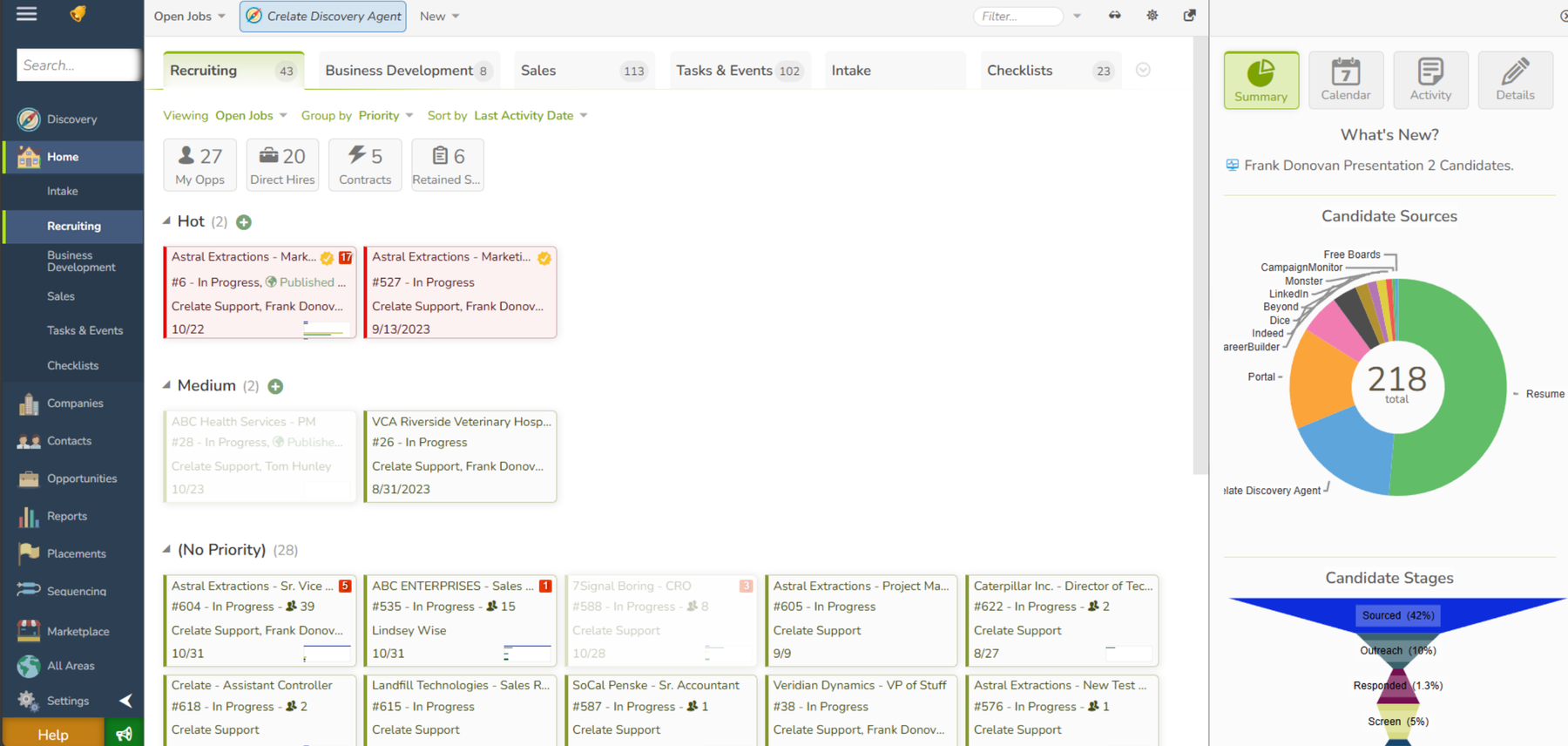
Crelate interface

About Loxo

Loxo was founded in 2012 by Ilia Cheishvili and Matt Chambers in Denver and positions itself as a talent-intelligence platform: an ATS, a CRM and sourcing in one, built around a large candidate database enriched with contact information. It grew past $100M in revenue without outside funding, then took a $115M growth investment led by Tritium Partners in 2025 to accelerate its AI. Pricing starts at $169 per user per month on the Basic plan and is not fully published, with professional contracts commonly landing higher. It holds 4.6 on G2 and 4.6 on Capterra (about 126 reviews), praised for its interface and support. Its distinctive strength is built-in sourcing and enriched candidate data.

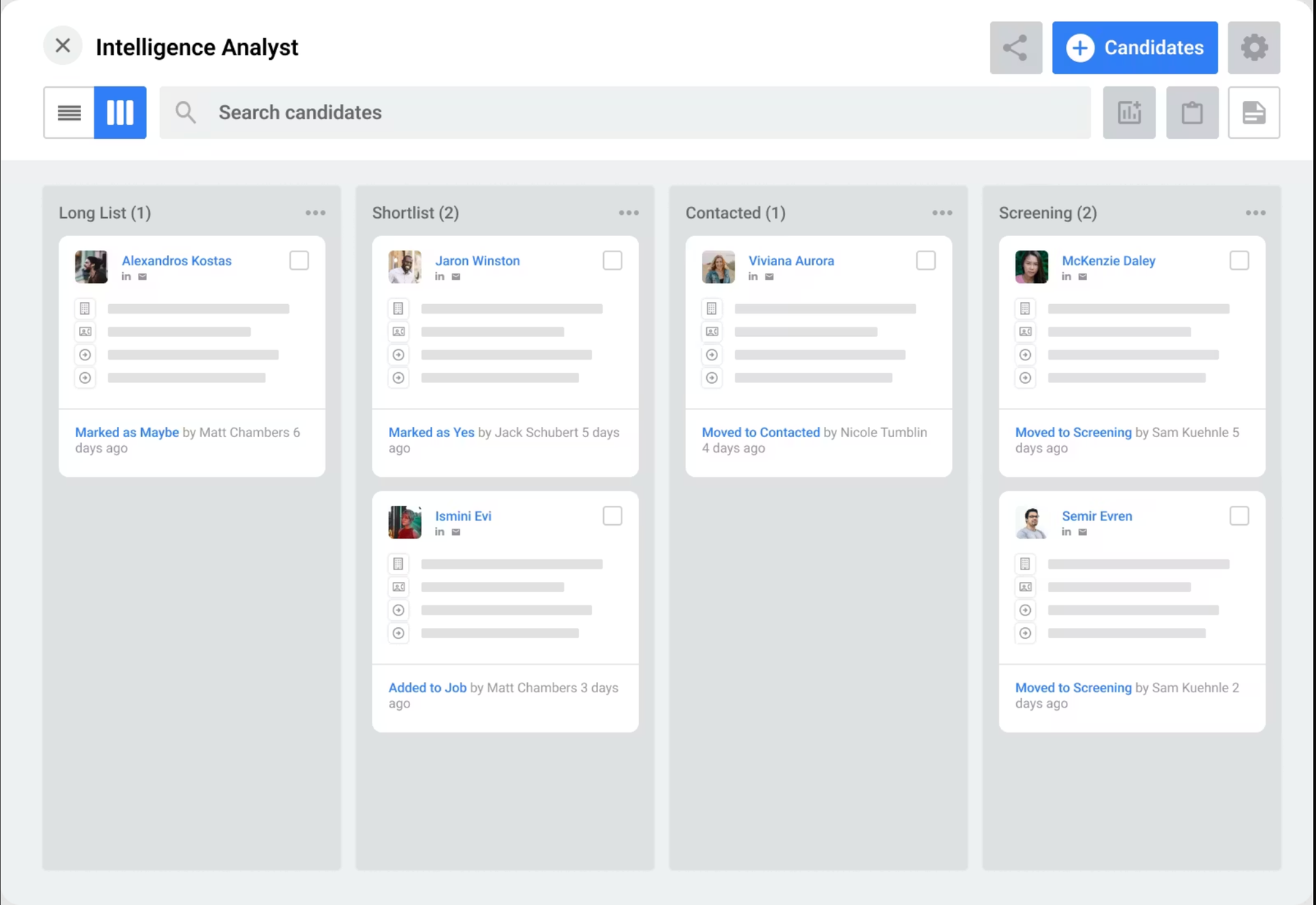
Loxo interface

FAQ: Crelate vs Loxo

This comparison guide analyzes the critical differences between Crelate and Loxo: pricing policy, free trial, customer support quality, and sourcing power. Use this data to choose the best-fit ATS for your agency.

Hero Image Mobile
alternative logo
logo

Ready to switch to Jarvi?

Join hundreds of agencies that made the switch to Jarvi. Book a demo to see how we can help you recruit better, faster, and more affordably.

Jarvi app screenshot

Crelate analyzed on December 3, 2025 • Loxo analyzed on December 17, 2025 — If you have any updates or corrections to share, please help us keep this article accurate and up-to-date via the chat in the bottom right corner.